
Quick answer
Choose Niagara if you want a simpler, list-first launcher with fast one-handed access and fewer layout decisions. Choose Nova if you want a conventional Android grid, dock and app drawer with much deeper customization. In 2026, Nova is still maintained under Instabridge, but its ownership and business model have changed, so that context matters if you are returning to it.
Contents
Niagara and Nova solve different problems
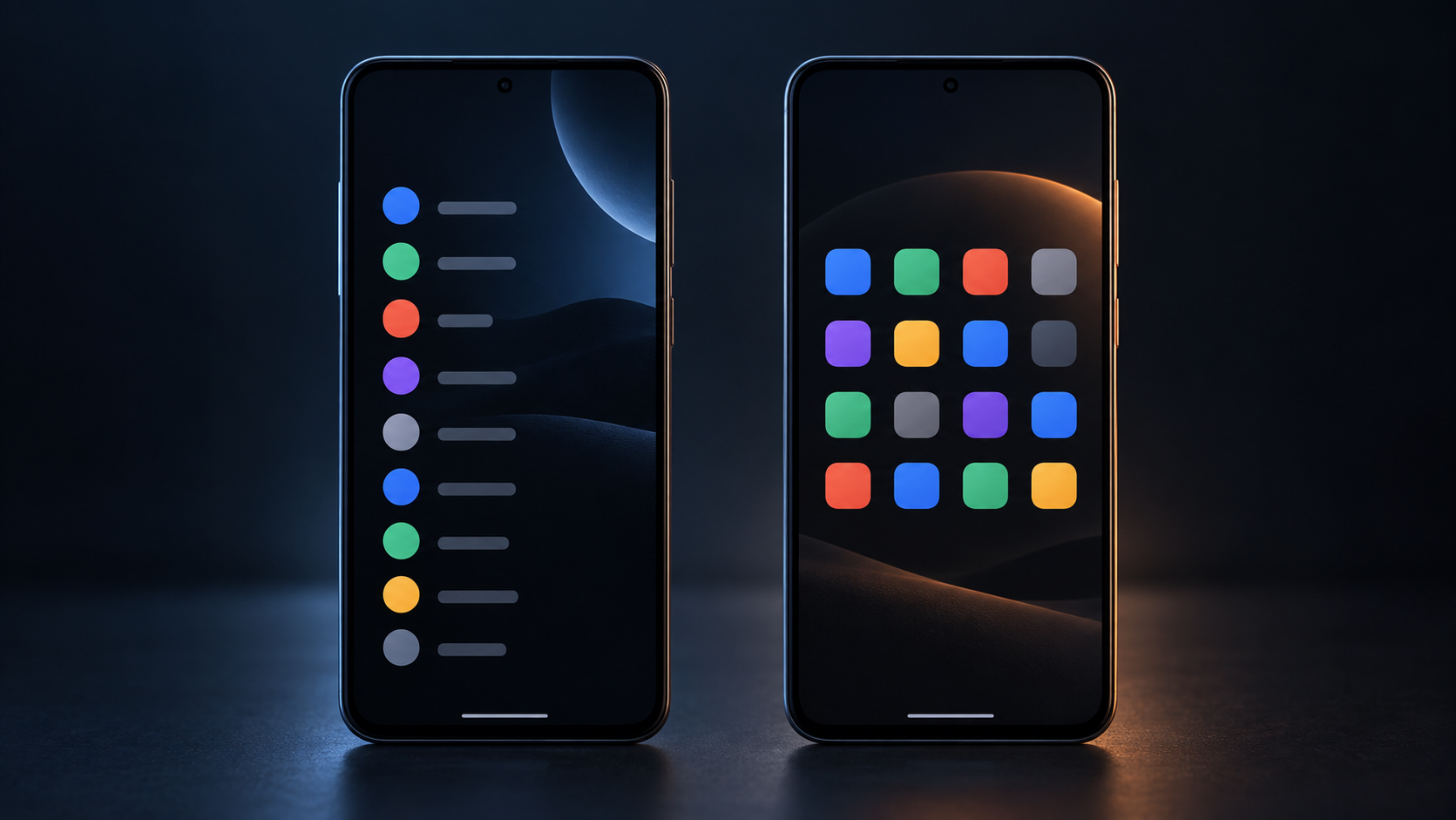
Nova starts from the standard Android idea of a home screen: icon grids, multiple pages, a dock, widgets, folders and an app drawer. Its attraction is control. You can change how those pieces look and behave without abandoning the familiar model.
Niagara starts from a different premise. Its home screen centers on a short favorites list, integrated information and an alphabetical app list that you can scrub with one hand. The launcher deliberately resists turning the home screen into a large grid of independently arranged objects.
This is why switching from Nova to Niagara can feel more dramatic than switching between two conventional launchers. You are changing the navigation model, not merely the theme.
Niagara vs Nova Launcher: quick comparison
| Area | Niagara Launcher | Nova Launcher |
|---|---|---|
| Core layout | Vertical favorites + alphabetical app list | Traditional grid, dock, pages and app drawer |
| Best for | People who want less clutter and fast one-handed access | People who want detailed control over a familiar Android layout |
| Customization | Strong visual customization, but within Niagara’s fixed design philosophy | Much deeper control over desktop, dock, drawer, folders, icons and gestures |
| Widgets | Integrated widgets and widget stacks; intentionally limited placement | Conventional Android widgets placed freely on home-screen pages |
| Folders | Pop-up folders that can contain apps, shortcuts and, with Pro features, widgets | Traditional folders plus Prime app-drawer folders/tabs |
| Notifications | Designed to surface notifications directly alongside apps | Conventional notification badges/dots, with Prime customization |
| Backup | Backup/restore supported | Backup/restore supported |
| Free version | Advertised as ad-free | Free to install; current free version includes ads |
| Paid model | Niagara Pro; recurring and lifetime options, with localized pricing | Nova Prime; yearly subscription and lifetime purchase |
Nova changed hands in 2026 — and it is still being updated
Nova’s recent history needs some untangling because older coverage can make the launcher look abandoned. Branch acquired Nova in 2022. After a period of uncertainty around the team and future development, Instabridge announced its acquisition of Nova on 20 January 2026.
Instabridge said the immediate plan was to keep Nova stable, compatible with modern Android and actively maintained. It also said existing Prime purchases would continue to work and that Prime would remain ad-free.
The current product supports that first claim at least at the level of ongoing maintenance. Nova’s Google Play listing shows a September 2026 update, and the official site still presents Nova as an actively sold launcher rather than a legacy download.
The business model is different from the Nova many long-term users remember. Nova’s current site describes Prime as available through a yearly subscription or a lifetime purchase and as the route to the complete feature set and an ad-free experience.
For returning Nova users, that context matters. A comparison based on a one-time Prime purchase from 2014 no longer describes the product for every new customer.
Choose Niagara if you want your phone to feel simpler
Niagara works best when its constraints sound useful rather than frustrating.
The defining feature is the app list. Instead of opening a conventional drawer and scanning a grid, you slide along an alphabet and jump directly to the relevant part of the list. A small set of favorites stays visible on the home screen. The design is particularly well suited to tall phones and one-handed use.
It also treats notifications as part of the launcher rather than as a badge attached to an icon. Niagara’s current Play Store listing highlights integrated notifications, the wave alphabet, pop-up folders, widget stacks, calendar/weather widgets and advanced search as central parts of the experience.
Niagara has become considerably more customizable without turning into a conventional grid launcher. Niagara Pro now includes themes, Anycons, custom fonts, personalized clocks, widget stacks and more flexible pop-ups. The 2026 Theme Studio work also makes it easier to change the visual style of the launcher as a whole.
The limitation is intentional: you still cannot treat every square centimeter of the home screen as a canvas. If you like arranging several widgets on separate pages, keeping rows of folders in exact positions or building elaborate icon layouts, Niagara can feel restrictive very quickly.
Choose Nova if you want control over a traditional Android home screen
Nova remains the easier recommendation for someone who already likes the normal Android home-screen model and simply wants more control over it.
The official feature list still centers on customizable desktop, app drawer, dock and folders, icon themes, backup/restore and, with Prime, gestures, notification badges and app-drawer folders. That makes Nova much more suitable for setups built around multiple home pages, carefully placed widgets or complex gesture shortcuts.
Nova also lets you make substantial changes while keeping the phone visually conventional. A Niagara setup is recognizably Niagara. A Nova setup can look almost stock, heavily themed or somewhere in between.
The trade-off is configuration overhead. Nova gives you many settings because that is the product. If you are installing a third-party launcher because you are tired of managing your home screen, its biggest strength can become the wrong solution.
Free vs paid is no longer a simple comparison
Niagara’s free version is unusually complete for someone who simply likes its layout. The developer explicitly describes the launcher as ad-free even in the free tier. Pro unlocks the more advanced customization and convenience features, and Niagara offers both recurring and lifetime payment options. Prices vary by country, so a fixed dollar or euro figure would age badly.
Nova is free to install, and its current FAQ says the free version includes ads. Prime unlocks the complete feature set and removes ads; it is available as either a yearly subscription or a lifetime purchase. Existing lifetime Prime users still use the separate Prime unlocker app.
If you already own an old Nova Prime lifetime license, the economics are therefore different from those of a new user. Instabridge has said it intends to honor those purchases.
Privacy and ownership are part of the comparison
Launcher apps sit in a sensitive position on a phone: they can see enough of the device environment to provide search, notifications, widgets and app-management features. It is reasonable to care who operates the launcher and what its current policy says.
Nova is now operated by Instabridge Sweden AB. Its privacy policy, effective 20 April 2026, describes the ownership change and says the company aims to minimize collection and does not sell personal data.
Niagara is operated by Mellowdrop GmbH. Its current privacy summary says the launcher remains ad-free, does not sell user data, keeps data on-device where possible and lets users disable personal interaction/error reporting. More detailed phone-usage data is described as opt-in for its Digital Wellbeing research initiative.
Those are the companies’ own disclosures. They are useful evidence, not an independent privacy audit. Community discussions around Nova’s acquisition have included strong concerns about advertising and tracking; reports also conflict between versions and license states. We would not turn those reports into a blanket claim that every Nova installation behaves the same way.
If privacy is a deciding factor for you, read the current policies before installing and check the permissions/settings on your own device. Ownership and monetization can change faster than launcher feature lists.
Which launcher should you choose?
Choose Niagara Launcher if you like the idea of opening your phone and seeing less: a short favorites list, fast alphabetical access, integrated notifications and a layout optimized around one-handed use. It is particularly compelling if the conventional grid of icons and widgets has started to feel like maintenance.
Choose Nova Launcher if you already know how you want your home screen arranged and want the launcher to obey. It remains the more capable tool for traditional grids, docks, folders, drawer organization, icon customization and gesture-heavy setups.
If you’re searching for a Nova Launcher alternative because you simply want “another Nova,” Niagara may be too different. A more conventional grid-based launcher will be a closer conceptual replacement. Niagara makes more sense when you want your phone to feel different instead of recreating the same layout model.
There is little reason to decide from screenshots alone. Both can be installed without replacing or deleting your existing launcher configuration. Try Niagara’s basic workflow for a few days before spending time recreating a complex setup, and try Nova before buying Prime if you are unsure whether its extra controls are things you will actually use.